
Find Precedents≈2× faster
Trace Logic
Alternative A**
Trace Logic shows how a result is calculated and which formulas use a selected cell. Open related cells from the tree instead of searching through sheets manually.
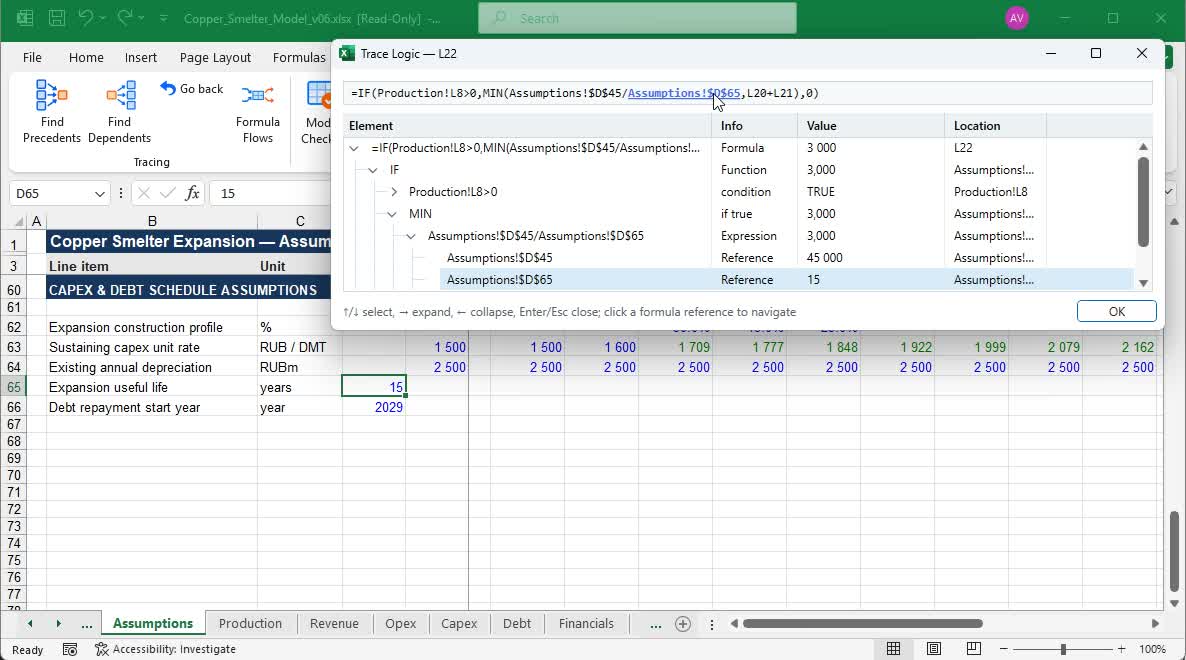
The formula analysis tree shows nested functions, conditions, references, and calculated values. Expand the part you need and jump straight to its source in Excel.
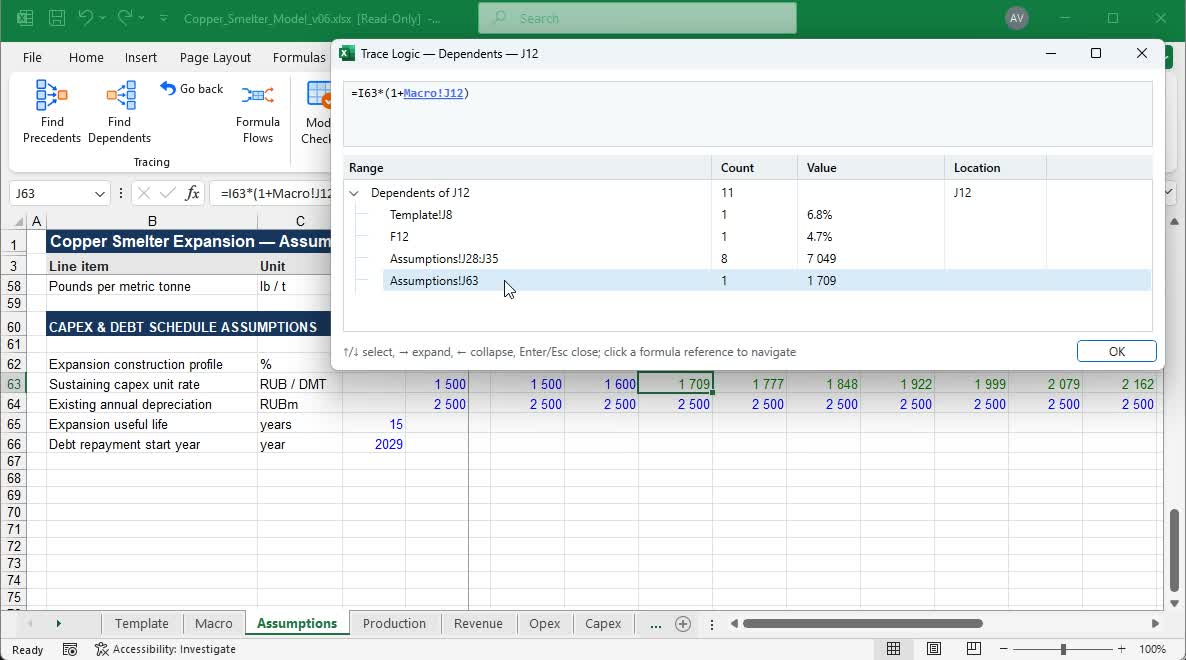
Trace Logic finds formulas that use the selected cell. Select a dependent to open it directly in your model.
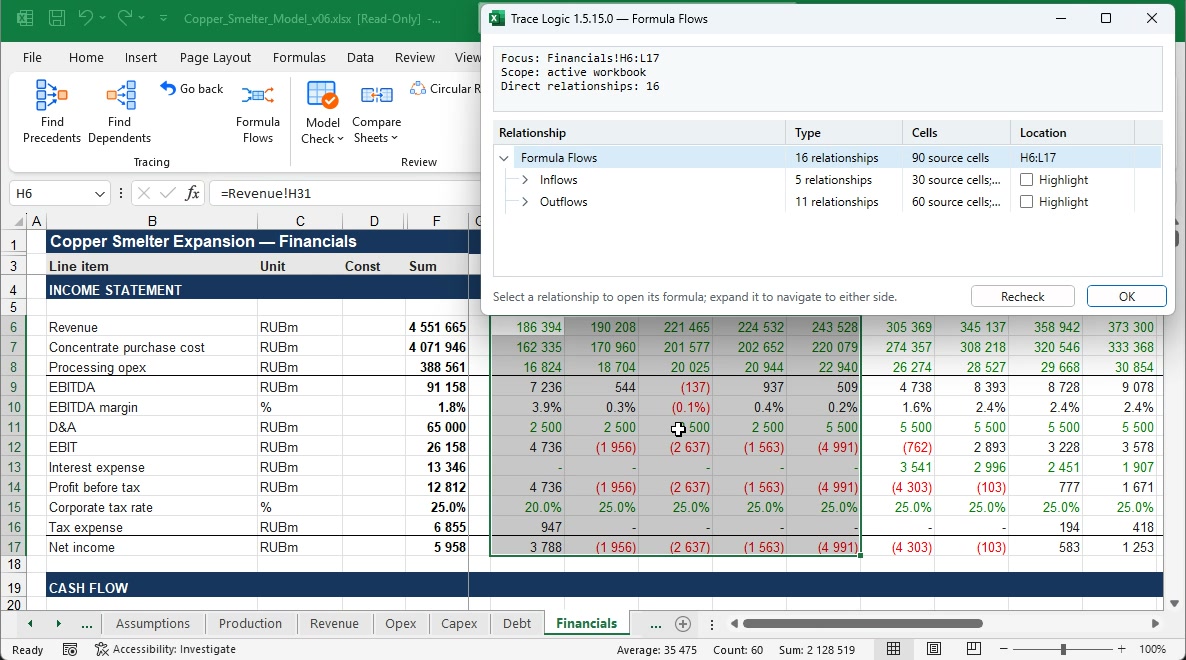
Select a range on a worksheet — Trace Logic shows its inflows and outflows, grouped by sheets and formulas.
Selected rangeFinancials!H6:L17
Selected rangeFinancials!H6:L17
Time to open tracing, measured on the same model under the same conditions.
Formulas and values are read in blocks, not cell by cell.
Parsed results for identical formulas are reused during analysis.
Analysis can be limited to selected sheets and ranges.
Selected findings are rechecked without scanning the whole model.
START WITH A FREE TRIAL
10 days to try Trace Logic in real work.