
Quick Actions
Everyday actions — in one click
Select the cells you need, calculate totals and give your model a consistent look without repetitive manual work.
Quick Selection
Use keyboard shortcuts to select formulas, constants, blank cells and other data types within the selected range.
Sum, average and count
Copy the result for visible or selected cells to the clipboard with one click.
Number Format
Apply number formats in one action or cycle through your configured formats.
Match column widths
Transfer column widths from a reference sheet to other sheets in the workbook.
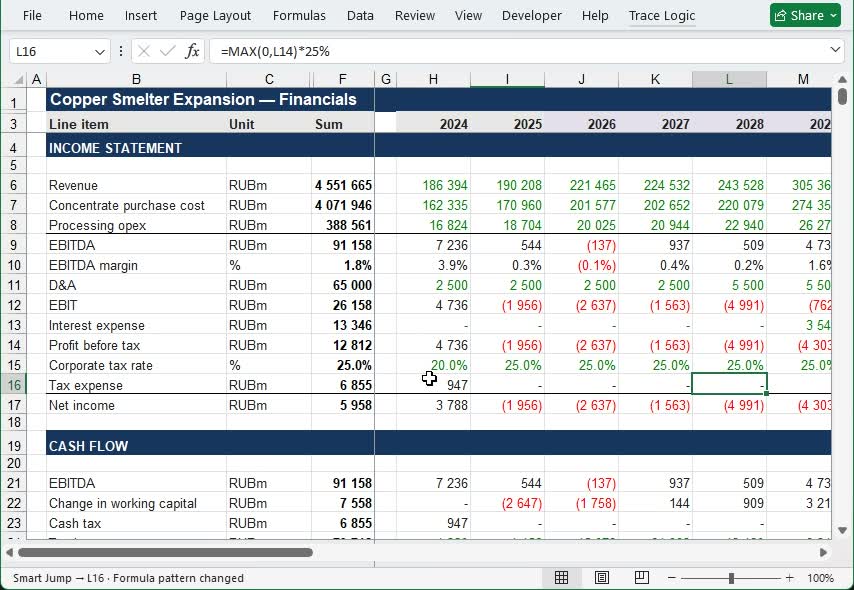
Automate your work with formulas
Jump to important changes, continue calculations and copy entire formula blocks without repetitive manual work.
Less routine work in Excel
Reveal hidden elements, clear your workspace and tailor Quick Actions to your workflow.
Hidden sheets
Reveal hidden and VeryHidden sheets for inspection, then restore their original visibility.
Hidden names
Make hidden names available for inspection and hide them again when needed.
Page break lines
Remove dotted page break lines so they do not get in the way of working with your model.
Make it your own
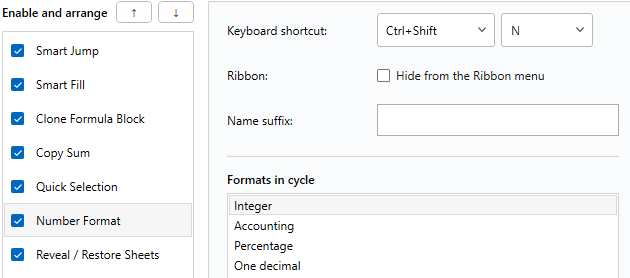
Choose the actions you need, change their order, keyboard shortcuts and Ribbon display.
START WITH A FREE TRIAL
Try Trace Logic on your own model
10 days to try Trace Logic in real work.