
TRACE LOGIC FOR EXCEL
More possibilities for working with models
Trace cell relationships, review formulas, and compare sheets directly in Excel.
10-day free trial
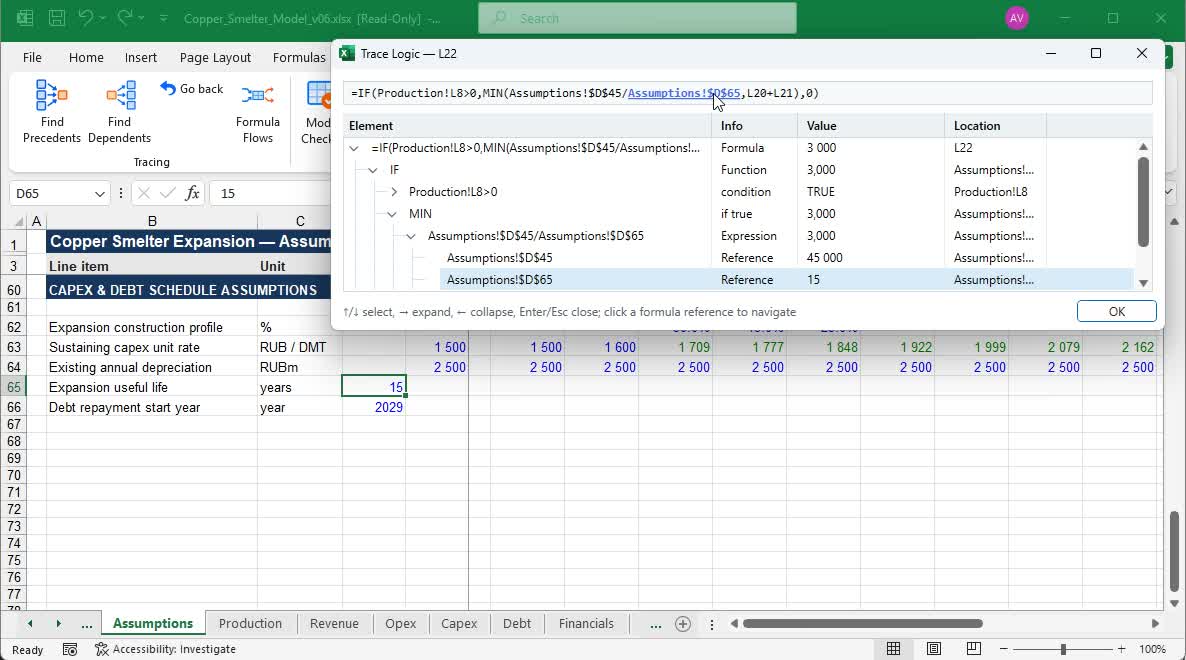
Follow a formula back to its source data — even on another worksheet.
Explore tracing →When Trace Logic is especially useful
Understanding someone else’s model
Find out where key figures come from and where they are used.
Checking a file before sending
Find logic inconsistencies, errors and suspicious formula changes.
Comparing two versions
See exactly what changed in formulas, inputs and calculated values.
Working with large files every day
Reduce manual navigation, checks and repetitive tasks.
Tracing
Trace the calculation in both directions
Navigate from results to source data, find dependent formulas and analyse links across an entire calculation block.
- Sources
Break down a formula and navigate to the cells behind its result.
- Dependents
See which calculations use the selected cell.
- Formula Flows
Inspect the inflows and outflows of a selected range.
Inflows
Selected rangeFinancials!H6:L17
Outflows
Selected rangeFinancials!H6:L17
Model Check
Check your model before sending it
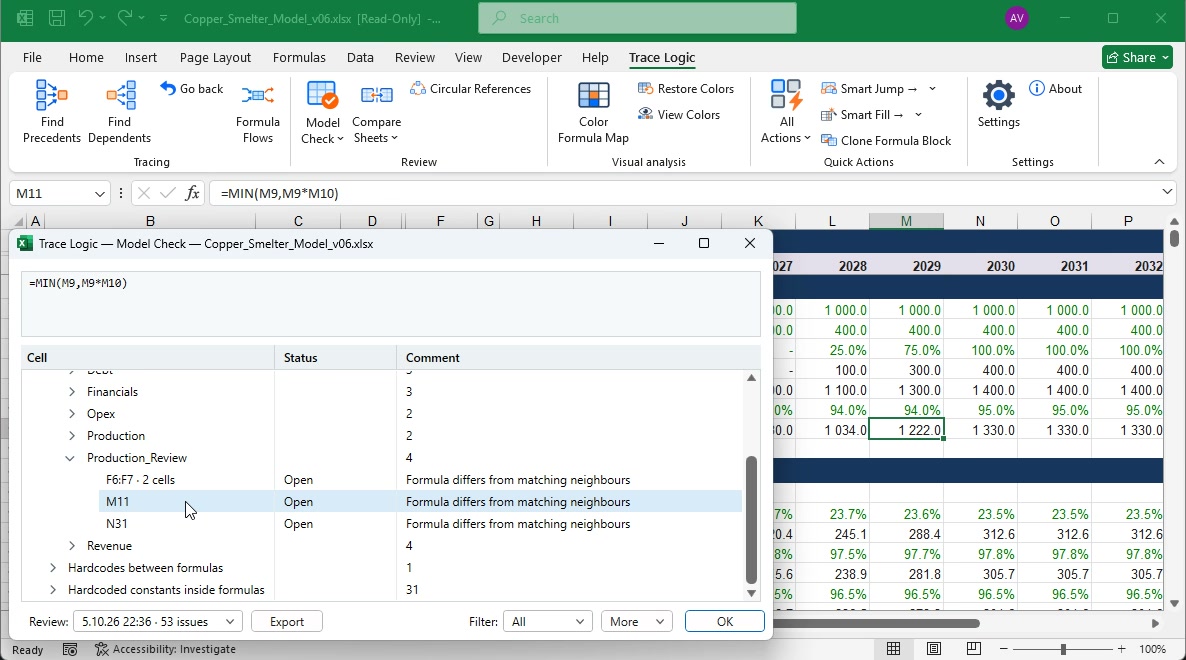
Trace Logic finds Excel errors, changes in repeated formulas, blanks and suspicious constants — including issues Excel does not flag as errors.
- Excel errors and #REF!Calculation errors and broken cell references.
- Formula changesFormulas that differ from their neighbours in a repeated pattern.
- Values and blanksNumbers or blank cells among matching formulas.
- Constants in formulasNumbers within formulas that may have replaced a source reference.
Plus circular reference analysis and much more.
Compare & Structure
Compare sheet versions and see how formulas are structured in your model.
Compare sheet versions
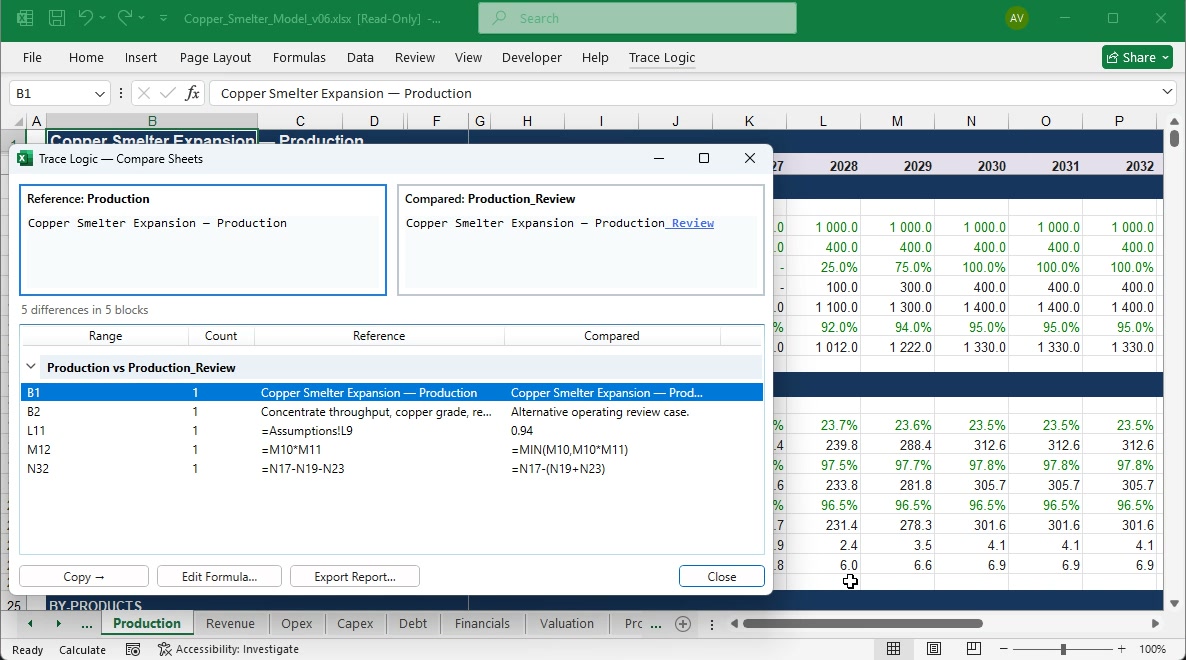
Find differences in formulas, inputs and calculated values, then jump straight to the cells you need.
- Formulas
- Values
- Workbooks
Different sheet structures? Alignment matches equivalent blocks before comparison.
Inspect formula structure
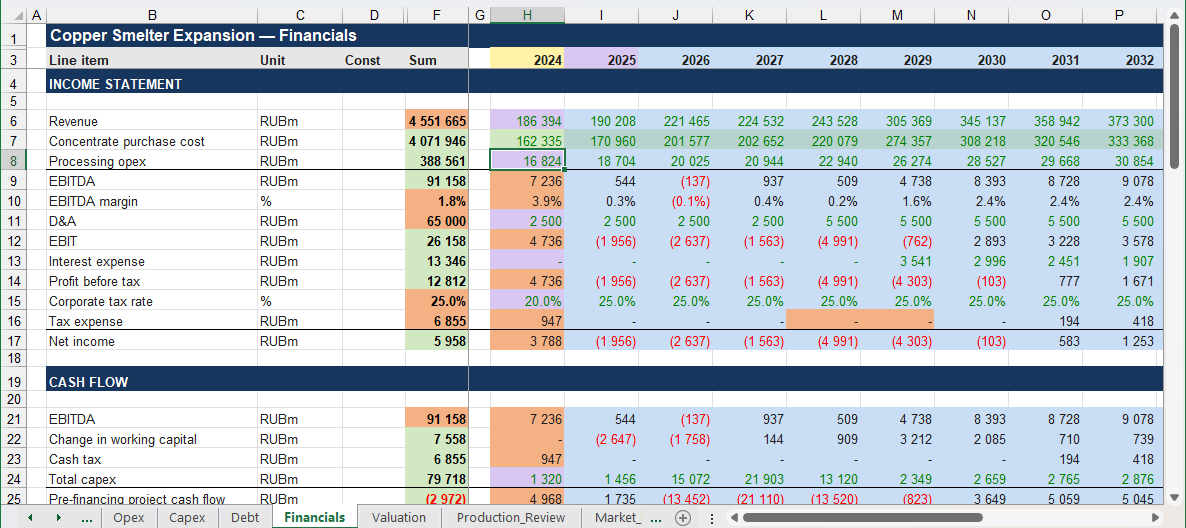
A colour map helps distinguish repeated formulas, references, inputs and unusual parts of a calculation.
- Inputs
- Other-sheet references
- Repeated formulas
- Unique formulas
Quick Actions
Less routine work in Excel
Select the cells you need, calculate totals and give your model a consistent look without repetitive manual work.
Quick Selection
Use keyboard shortcuts to select formulas, constants, blank cells and other data types within the selected range.
Sum, average and count
Copy the result for visible or selected cells to the clipboard with one click.
Number Format
Apply number formats in one action or cycle through your configured formats.
Match column widths
Transfer column widths from a reference sheet to other sheets in the workbook.
And more: Smart Jump · Smart Fill · Clone Formula Block · Hidden sheets and names
Explore all Quick Actions →START WITH A TRIAL
Try Trace Logic in your own workbook.
Take 10 days to see whether the add-in fits your work.